How to Extract Color Palettes and CSS Variables from Any Image
Generate harmonious 6-color palettes from photos and logos. Copy HEX, RGB, HSL codes, export CSS variables, and download designer swatch cards.


Every exceptional brand identity, modern web application, and promotional poster relies on a harmonious, well-balanced color scheme. Often, the most compelling color inspirations do not come from abstract color wheels—they come from the natural world, cinematic photography, architectural designs, and real-life landscapes.
With the Color Palette Extractor on ShobFree, you can upload any photo or design and automatically extract its 5, 6, or 8 most dominant, aesthetically balanced colors. With instant 1-click copying of HEX, RGB, and HSL codes, exportable CSS variables, and downloadable designer swatch presentation cards, it bridges the gap between visual inspiration and frontend code.
Quick answer
| Job | Feature | Output |
|---|---|---|
| Dominant colors from photography | Smart Color Quantization | 5, 6, or 8 harmonious color swatches |
| Web development integration | Copy CSS Variables | :root { --color-1: #hex; } block |
| Design presentation & mood boards | Export Palette Card | High-resolution 1200×630 PNG swatch card |
| Quick color sampling | Click-to-copy chips | Instant clipboard copy of HEX, RGB, or HSL |
Step-by-step: How to extract color schemes from images
- Open the Color Palette Extractor tool.
- Click Choose an Image or drag and drop any image into the box. Supported formats include JPG, PNG, WebP, SVG, and AVIF.
- The client-side sampling engine scans pixel values and clusters them using color quantization to detect the primary tonal spectrum.
- Select your preferred palette density: 5, 6, or 8 dominant colors.
- Click on any color swatch strip or details card to copy its HEX, RGB, or HSL code directly to your clipboard.
- Click Copy CSS Variables to instantly generate a ready-to-use
:rootstylesheet block for modern CSS, Tailwind, or Styled Components. - Click Export Palette Card (PNG) to generate a crisp 1200×630 PNG swatch card perfect for client decks, Figma files, or design portfolios.
Example generated CSS variables
:root {
  --color-1: #0f172a; /* Slate 900 */
  --color-2: #2563eb; /* Primary Blue */
  --color-3: #38bdf8; /* Sky Accent */
  --color-4: #f8fafc; /* Crisp Background */
  --color-5: #f59e0b; /* Amber Highlight */
  --color-6: #10b981; /* Emerald Success */
}
Useful scenarios for designers & frontend engineers
- Web UI Development: Quickly set up theme tokens, dark mode accents, and button states derived directly from hero photography or brand mood boards.
- Brand Style Guides: Extract exact corporate color specs from finalized company logos or packaging photos.
- Digital Art & Illustration: Sample coherent color harmonies for digital painting, 3D texturing, or vector artwork.
Screenshots
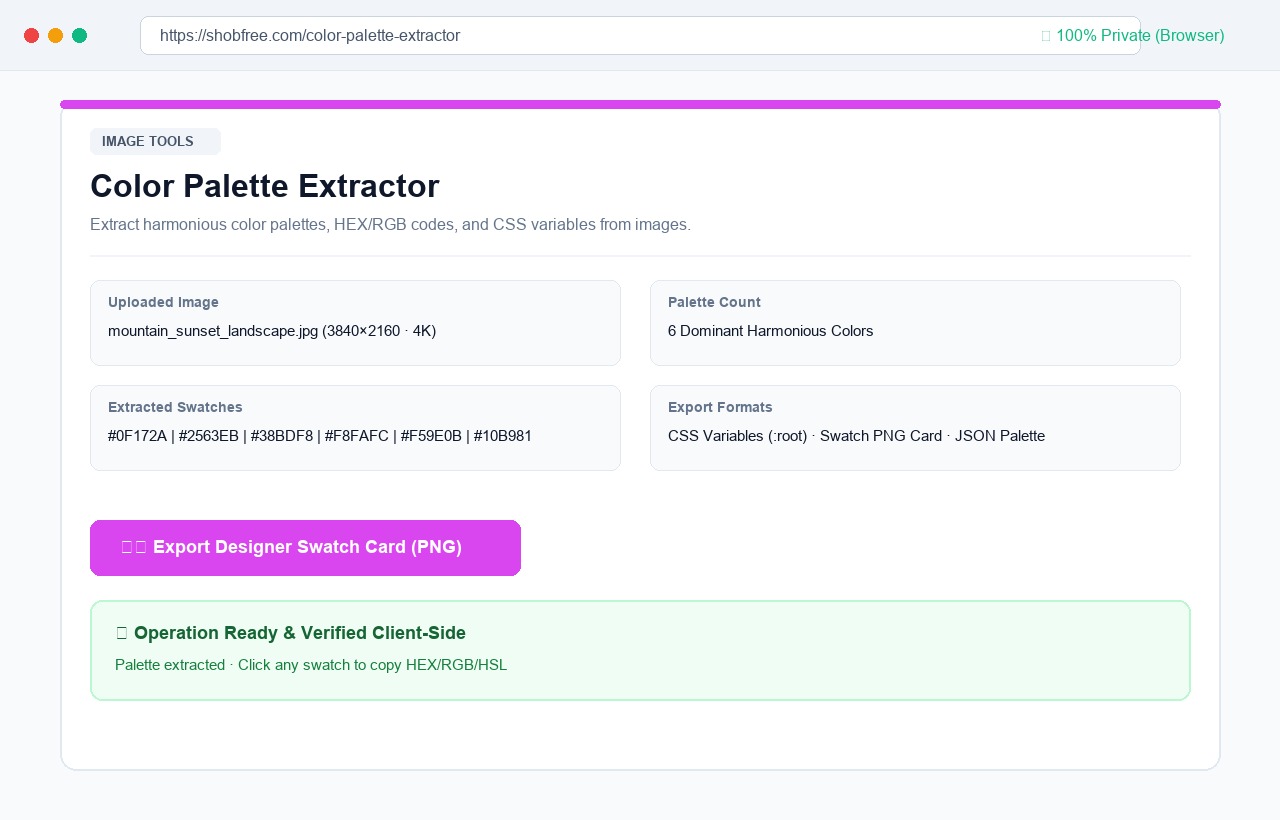 Color Palette Extractor: upload any image, extract 5 to 8 dominant colors, copy HEX/RGB/CSS variables, and export PNG card.
Frequently asked questions
How does the color extraction algorithm select dominant shades? The tool samples pixels across the image canvas and bins them into quantized color buckets based on chromatic proximity. It then ranks buckets by frequency while preserving distinct luminance steps so that highlights, midtones, and shadows are all represented.
What image formats are supported? You can upload JPG, JPEG, PNG, WebP, SVG, and AVIF images of any resolution.
Are my inspiration photos uploaded to an external server? No. All pixel sampling, color quantization, and PNG swatch card generation occur 100% inside your browser's local sandbox.