How to Redact a PDF Permanently: Hide Names, Numbers, Emails
Learn how to redact a PDF so private text cannot be recovered: draw boxes, search for words or emails and flatten the page, free and in your browser.

Before you share a contract, a bank statement or a form, there is often something that must not be seen: a phone number, a national ID, an address or a name. Many people cover it with a black rectangle in an editor and send the file, not knowing that the words are still underneath and can be copied in seconds. Real redaction removes the information, not just hides it. The free Redact PDF tool does this in your browser.
Quick answer
Open Redact PDF, choose your file and drag black boxes over the private parts, or type a word and press Find and redact to cover every match. Press Download PDF. The pages you redacted are turned into pictures, so the hidden words cannot be recovered.
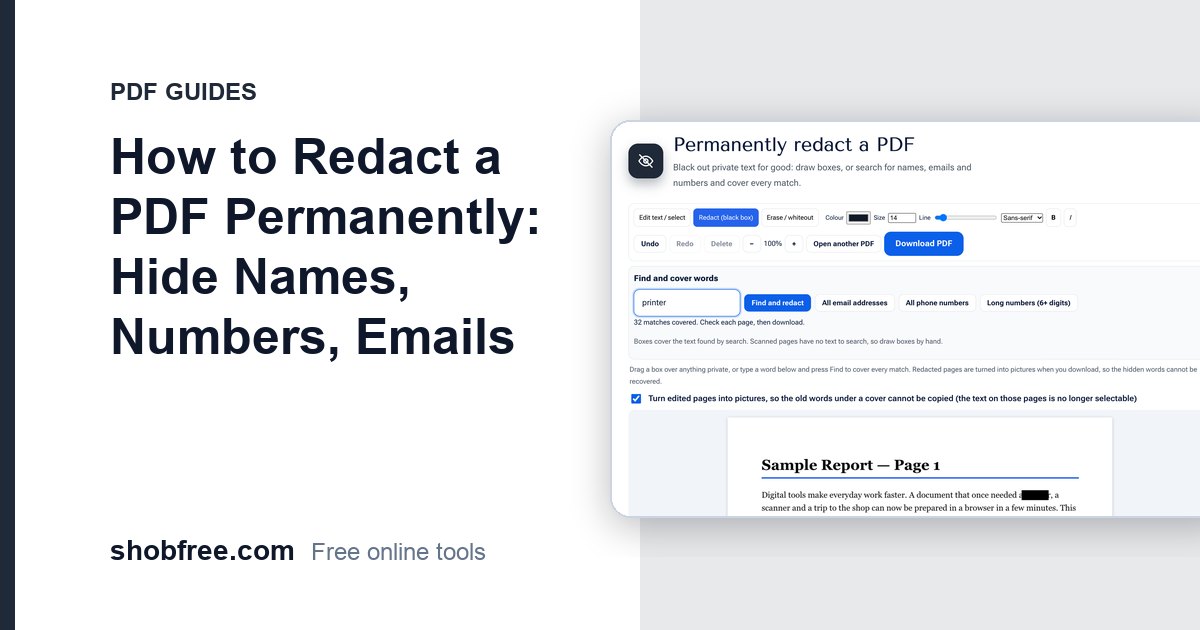
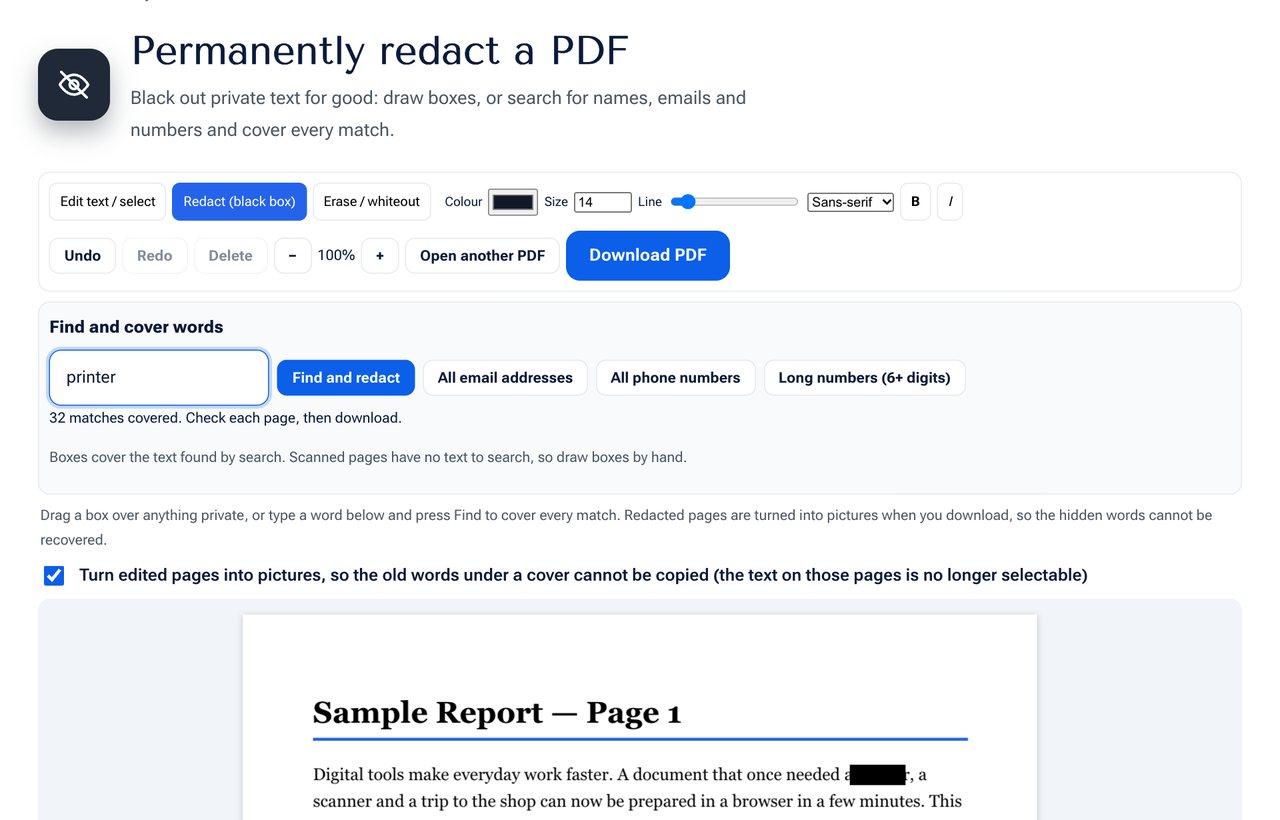 The Redact PDF tool: draw a box, or search for a word and cover all matches.
Why a black box is not enough
When you draw a rectangle over text in most editors, the rectangle is simply an extra shape on top. The text is still part of the file. Anyone can select the page, copy the text, or open the file in another program and find the words. There have been well-known cases of leaked documents where the "blacked out" parts were recovered this way.
Proper redaction does one of two things: it removes the text from the file, or it turns the page into a flat picture so that only pixels remain. This tool uses the second method, which works for every kind of PDF.
How to redact a PDF, step by step
- Open the Redact PDF tool and choose your PDF.
- To cover something by hand, keep the Redact tool selected and drag a box over it on the page. The box is black.
- To cover words automatically, type the word, name or number in Find and cover words and press Find and redact. Every match on every page gets a box.
- For common data, press All email addresses, All phone numbers or Long numbers (6+ digits).
- Look through the pages. Drag boxes over anything that was missed, and use Undo or Delete for any box that should not be there.
- Press Download PDF.
What happens to the redacted pages
When you download, every page that has a redaction is drawn as a picture with the black boxes burned in, and that picture replaces the page. Pages without redactions stay as they were, with normal selectable text. That is why a long document can keep most of its text and still be safe where it matters.
Search tips
- Search for a surname and a first name separately, since the two may be on different lines.
- Try variants: the same phone number may be written with spaces, dashes or a country code.
- Use the number option for national IDs, account numbers and card numbers, and check the result by eye.
- The search finds text that is in the file. A scanned page is a picture and has no text to find, so draw boxes by hand or run OCR PDF first.
Check before you share
- Open the saved file and try to select the redacted area with the mouse. Nothing should highlight.
- Press Ctrl+F and search for a redacted word. It should not be found.
- Look at the file properties. The PDF Info Viewer shows author and other hidden details, and the Remove Metadata tool can clear them.
- Keep the original safe and send only the redacted copy.
Privacy
The PDF is opened and processed in your browser. It is not sent to a server, so confidential documents stay on your device. This is especially important for a tool whose job is to protect private information.
Frequently asked questions
Is it really permanent? Yes for the pages that were redacted: they become pictures with the black boxes included, so there is no text left under them.
Will the whole PDF become a picture? Only the pages that contain redactions. Other pages keep their text.
Can I redact a scanned document? Yes. Draw boxes by hand over the parts to hide, because a scan has no text to search for.
What about hidden information such as comments or metadata? Redaction covers the visible page. Check the document properties and comments separately, and clear them if they hold private details.
Is it legally enough for official use? Courts and agencies sometimes have their own rules for redaction. Use this tool for everyday privacy and check the requirements if you must meet a specific legal standard.
Next step
Open the Redact PDF tool and clean your document. If you also need to remove the data stored behind the page, read How to Share Sensitive Documents Safely Online.