How to Crop PDF Pages: Trim Margins and White Borders
Crop PDF pages by dragging a box, trim the white edges automatically and apply the crop to all, odd or even pages. Free and in your browser.

Scanned pages often have wide dark or white borders. A report has margins that waste space on a phone screen. A PDF made from a slide has extra empty space around the content. Cropping removes what you do not need so that the useful part fills the page. The free Crop PDF tool lets you drag a box, or trim the white edges in one click.
Quick answer
Open Crop PDF, choose your file, drag a box on the page over the part to keep (or press Trim white edges), choose which pages it applies to and press Download cropped PDF.
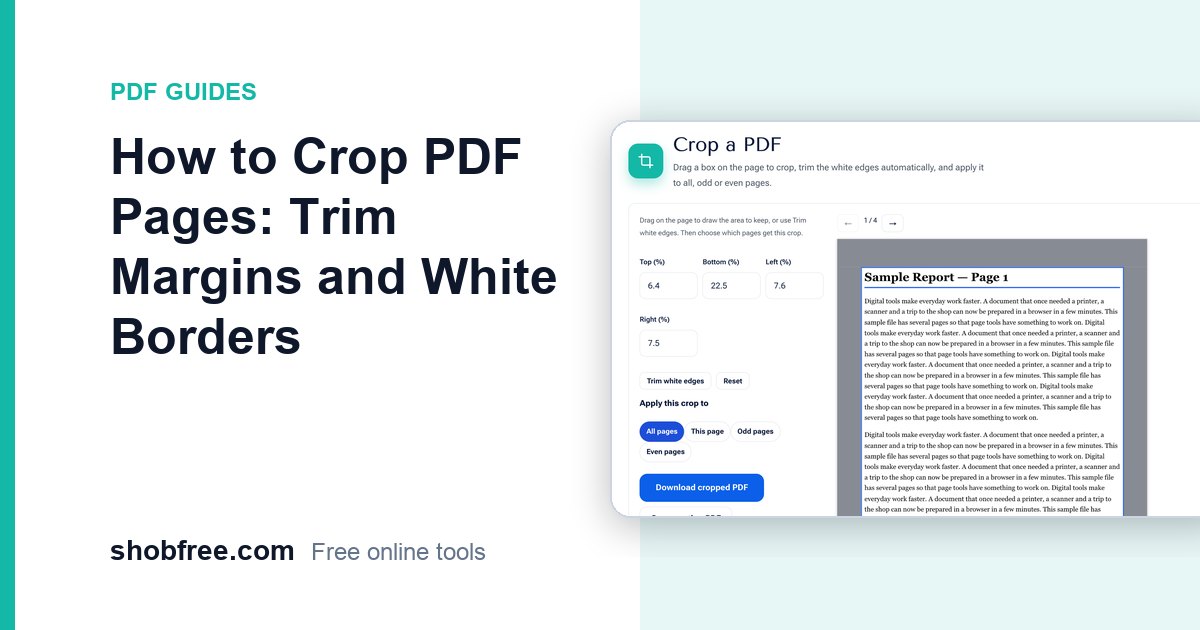
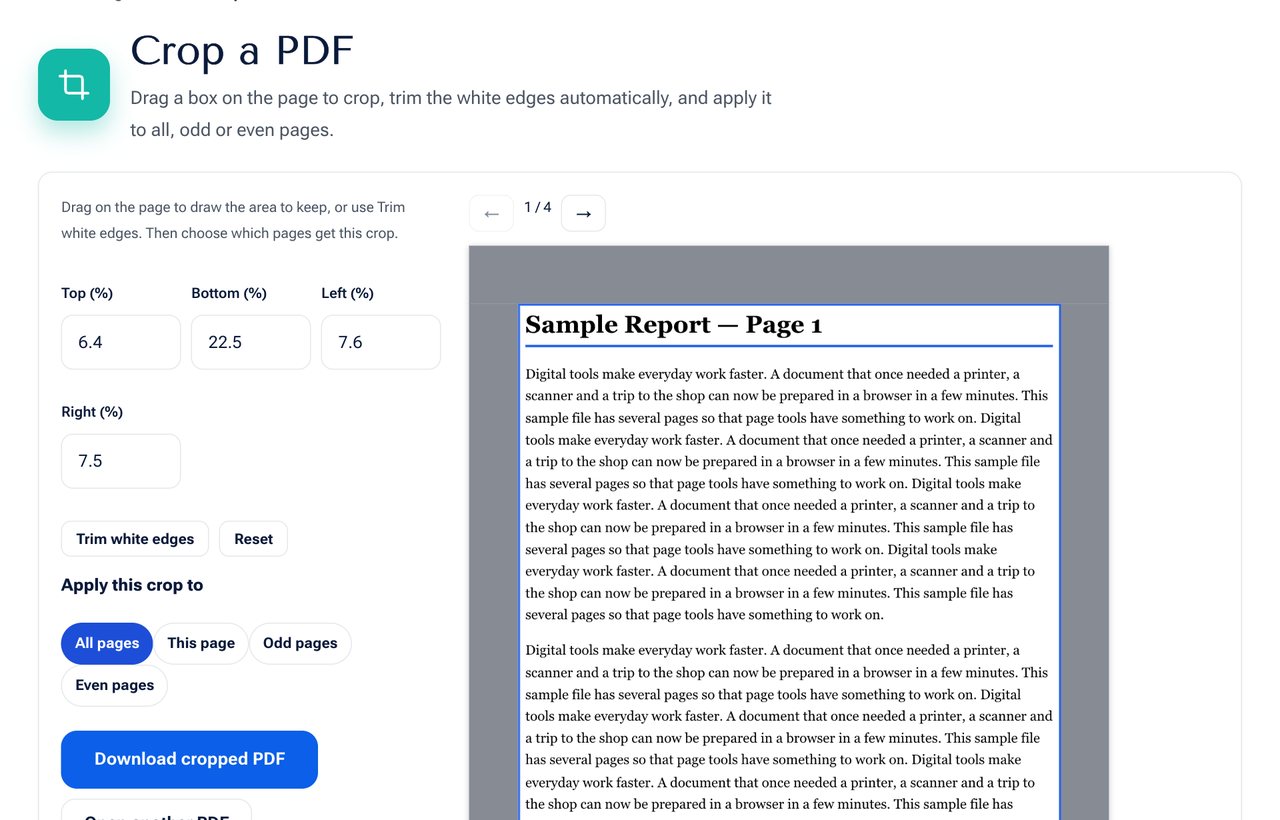 The Crop PDF tool: the area outside the frame is shaded and will be cut away.
Three ways to set the crop
- Drag a box: press and drag on the page. The area outside is shaded.
- Trim white edges: one click finds the content and sets the box around it, with a small safety margin.
- Type numbers: the Top, Bottom, Left and Right boxes show the margin to remove, in percent of the page.
Apply it to the right pages
| Option | Use when |
|---|---|
| All pages | Every page has the same layout, as in a scan of a book |
| This page | One page is different, such as a cover or a wide table |
| Odd pages / Even pages | Double-sided scans where the margin switches sides |
You can do this more than once: crop all pages first, then select a single page and give it its own crop.
Step by step
- Open the tool and choose your PDF.
- Use the arrows to move between pages and look at a few.
- Drag a box or press Trim white edges.
- Check the numbers on the left. Adjust them by typing if needed.
- Choose the pages to apply it to.
- Press Download cropped PDF.
What cropping does and does not do
- It changes the visible page area. The page becomes smaller so that the removed edge is not shown.
- It does not make the file smaller by itself. For that, use Compress PDF.
- It does not delete the content outside the crop from the page data in a way that is private. If you must hide something, use Redact PDF.
- Pages that are stored as rotated are left unchanged. Rotate them first with Rotate PDF.
Cropping for different goals
- Reading on a phone: crop the margins so that the text appears larger when you fit the page to the width.
- Printing: keep a small margin of at least five millimetres so that a printer does not cut the text.
- Slides: trim the empty edges to make handouts that use the sheet well.
- Photos of documents: after cropping, use Document Scanner for perspective correction.
Privacy
The file is cropped in your browser and is not uploaded.
Frequently asked questions
Will the quality change? No. The page content is not re-drawn, only the visible area changes.
Can I undo a crop later? Keep the original file. A saved cropped copy is smaller, but some PDF editors can restore the full page box.
Does it work for different page sizes? The crop is a percentage of each page, so a similar layout works across pages of different sizes.
What is the difference between Crop PDF and Remove PDF Margins? Remove PDF Margins finds the content automatically on every page. Crop PDF gives you manual control and different areas per page.
Next step
Open Crop PDF and trim your pages.