How to Delete Pages from a PDF (Remove Unwanted Pages Free)
Delete one or many unwanted pages from a PDF by clicking them on a thumbnail grid and save a clean new file. Free, private, no upload.

You have a 40-page file and need only 38 of them. Maybe a blank page slipped in, or an old cover sheet, or pages with private information must not be sent. Removing pages should be simple. With the free Remove PDF Pages tool you click the pages you do not want, and the rest is saved as a new, clean PDF.
Quick answer
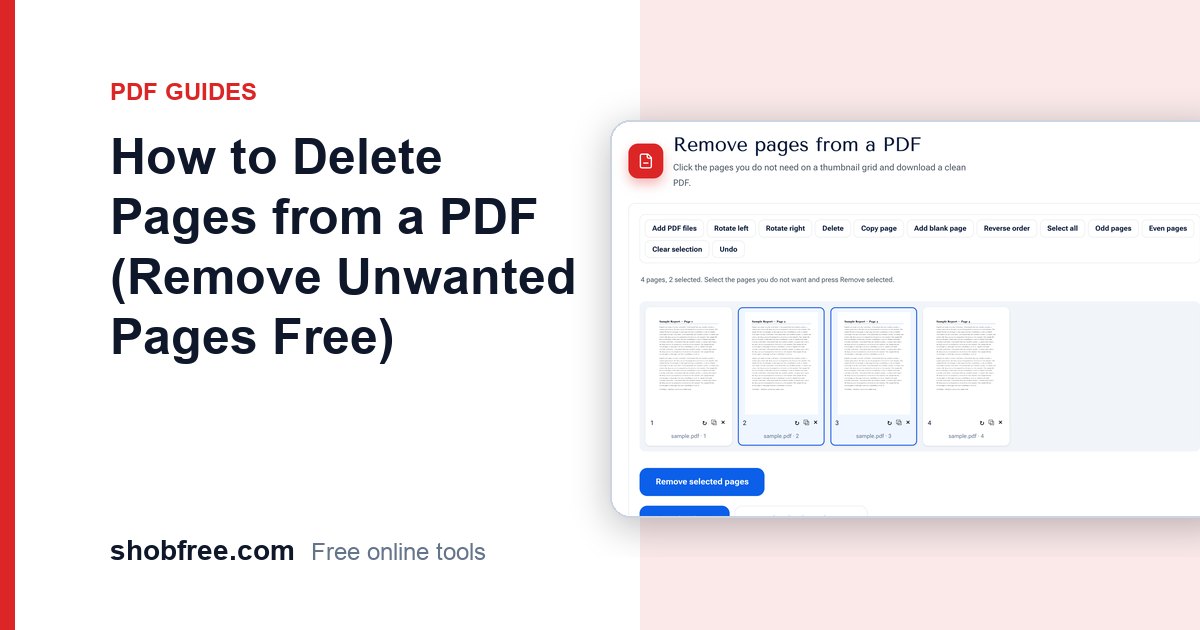
Open Remove PDF Pages, choose your file, click the thumbnails of the pages to delete and press Remove selected pages. Then press Download PDF.
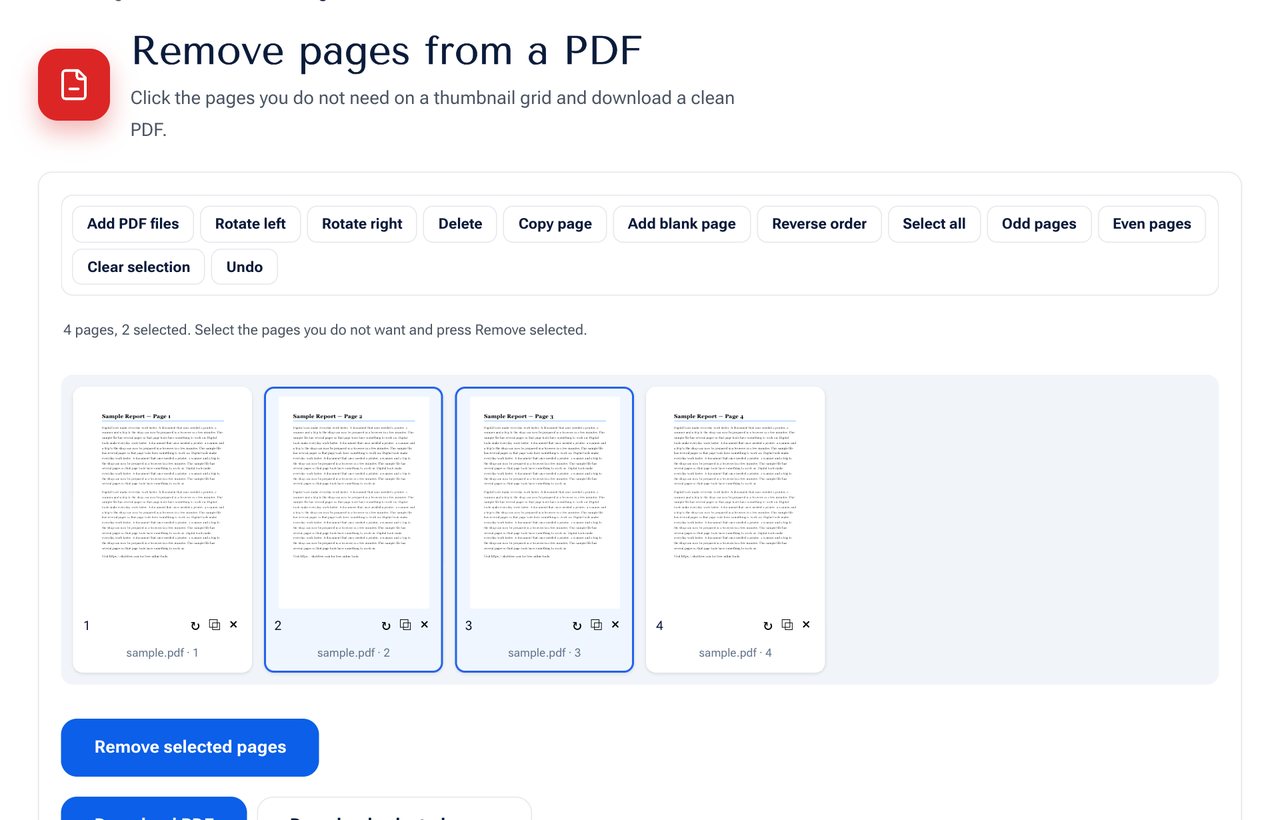 Click the pages you do not want, then remove them.
Step by step
- Open the tool and choose your PDF.
- Look at the thumbnails. Click a page to select it, and hold Shift to select a range.
- Press Remove selected pages. They disappear from the grid.
- If you removed the wrong one, press Undo.
- Press Download PDF to save the file with the remaining pages.
Other ways to pick pages
- Press Odd pages or Even pages to select all of them, handy for removing the backs of single-sided scans.
- Use Select all and then click pages to unselect them, when you want to keep only a few.
- Press the × under a page to delete just that one.
Common reasons to remove pages
| Situation | What to remove |
|---|---|
| A scanned file with blank backs | All even pages, or use Remove Blank Pages |
| A report sent to an outside person | Internal notes and private appendix |
| A form pack with unused sheets | The sections that do not apply |
| An e-book or manual | The advertising or cover pages |
Before you delete
- Keep the original. The new file is a copy, but it is wise to keep the first version safe.
- Check cross-references. A table of contents or "see page 12" may point to a page that moved. The numbers inside the document do not change automatically.
- Page numbers added earlier remain. If the pages were numbered before, the numbers will have gaps. Re-number with Add Page Numbers if needed.
If you only want to keep some pages
Use Extract PDF Pages instead. Choose the pages to keep, and download only those. It is the same idea in the other direction.
Privacy
The file is opened and rebuilt in your browser. It is never uploaded, so private documents stay private.
Frequently asked questions
Are the removed pages gone from the file? Yes. The new file is built from the remaining pages only, so the removed ones are not inside it.
Does the quality change? No. The remaining pages are copied unchanged.
Can I delete pages from a password-protected PDF? Unlock it first with Unlock PDF when you have the password.
Is there a limit to how many pages I can delete? No. You can remove as many as you like, as long as at least one page remains.
Next step
Open Remove PDF Pages and clean your document. To put the remaining pages in order, use Organize PDF.