How to Pin Your Favourite Tools and Find Them Fast
Pin the tools you use most and let the home page show your most used tools automatically. Private, saved on your device, no sign-in needed.

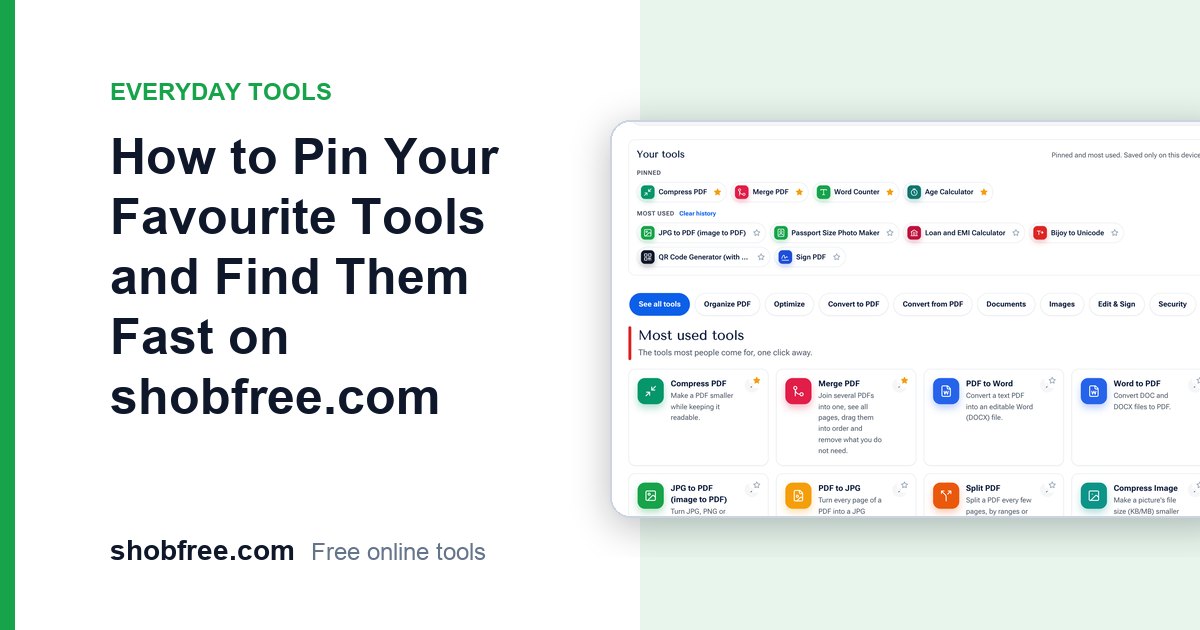
With more than three hundred tools on shobfree.com, finding the one you use every week can take longer than using it. Search helps, and so does the menu, but the best shortcut is a list that already knows what you need. That is what Your tools does: it sits right under the top of the home page and puts the tools you pinned and the tools you open most at your fingertips.
Quick answer
Press the star on any tool to pin it. Pinned tools appear first in the Your tools section on the home page, and the tools you open most often are added automatically below them. Everything is saved in your own browser and nothing is sent to a server.
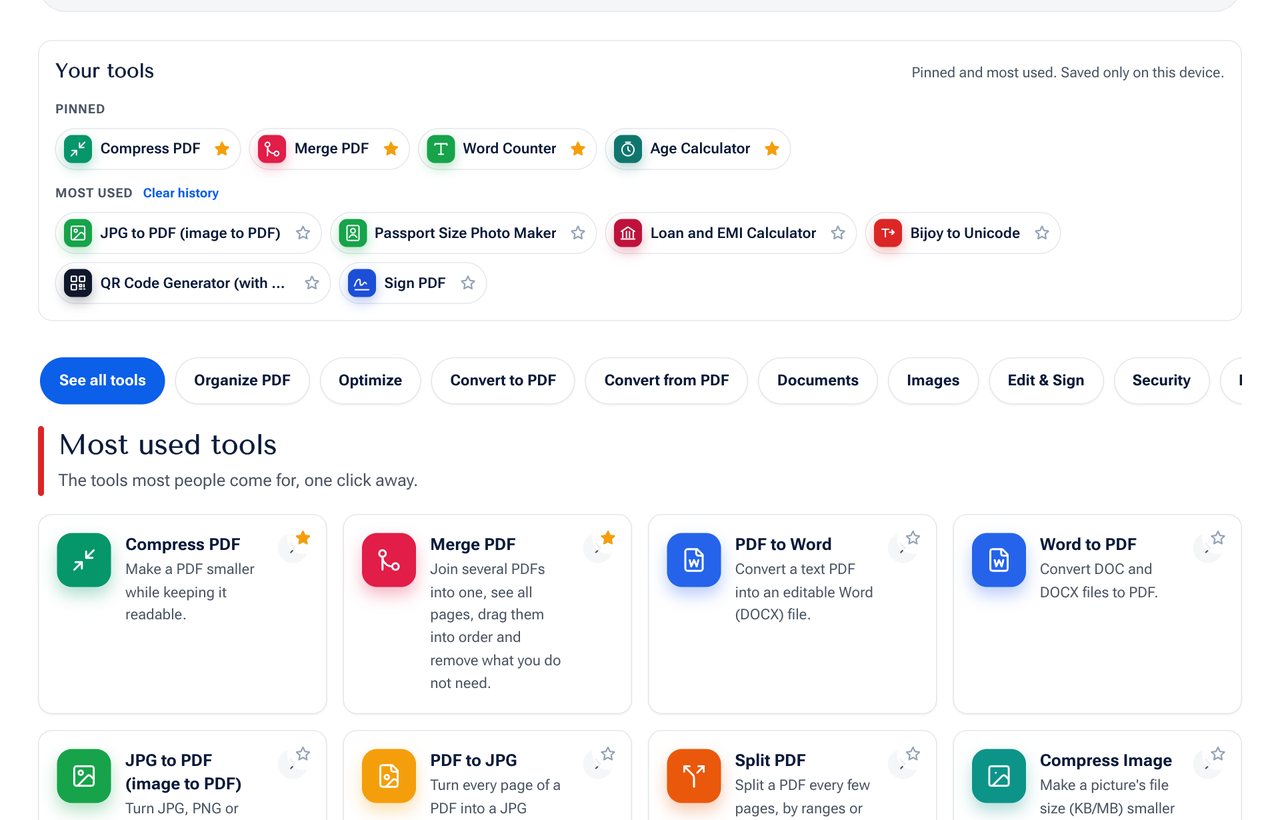 The Your tools section: pinned tools on top, most used tools below.
What you get
| Feature | What it does |
|---|---|
| Pinned | Tools you choose. They stay at the top until you remove them. The newest pin goes first. |
| Most used | Filled in automatically from the tools you open. The tools you use most often come first. |
| Clear history | Removes the "most used" list in one click, and keeps your pins. |
| Private by design | The list is stored on your device and never uploaded. |
How to pin a tool
You can pin a tool from three places:
- On a tool card on the home page or on the tool lists, press the small star in the top corner of the card.
- On the tool page, press the star next to the page title.
- In the Your tools section, press the star beside any tool to pin or unpin it.
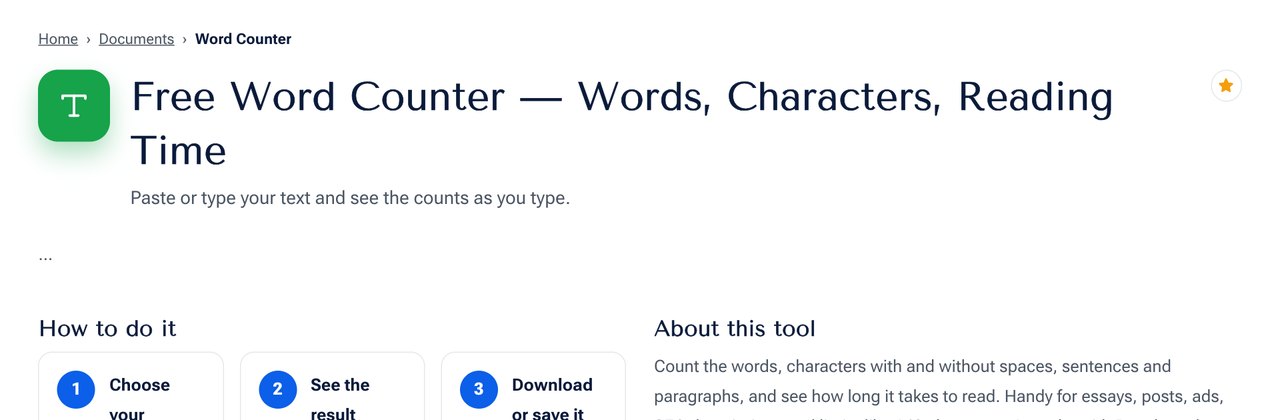 On a tool page, the star sits at the right of the title.
A filled orange star means the tool is pinned. Press it again to unpin.
How "most used" works
When you open a tool and stay on the page for a few seconds, that counts as one use. Opening the same tool again within ten minutes does not add another count, so a quick refresh does not change the order. The list shows up to eight tools, ordered by how often you opened them, and tools you pinned are not repeated.
Tips to get the most from it
- Pin the three or four tools you use every week. Pinned tools never move because of other usage.
- Let "most used" find the rest. You do not have to do anything. It follows your habits.
- Use the star on the card, not only on the tool page. You can pin straight from the list without opening the tool.
- Clear the history when your tasks change. Press Clear history to start the most used list again, without losing your pins.
- Bookmark the home page. Your list is the first thing you see there.
Where is the list saved?
The list is saved in your browser's local storage on the device you are using. That has three consequences you should know:
- It is private. The list is not sent to shobfree.com or to anyone else, and there is no account or sign-in.
- It is per device and per browser. Your phone and your laptop have separate lists, and Chrome and Firefox on the same computer are separate too.
- Clearing browser data removes it. If you clear cookies and site data, or use a private window, the list will be empty the next time.
Frequently asked questions
Do I need to sign in to pin tools? No. There is no account. The list lives in your browser.
Why is my list empty on my phone? Each device keeps its own list. Pin your favourites once on each device you use.
How many tools can I pin? Up to 24.
Does pinning change how the tools work? No. Pinning only controls what is shown on the home page. The tools work exactly as before.
Can I use it in Bangla? Yes. The section and the buttons appear in the language you choose with the language switch, and your list is the same in both languages.
Is my usage tracked by shobfree.com? The "most used" list is calculated inside your browser. It is not sent to our servers.
Next step
Go to the home page, press the star on your three favourite tools and watch your own Your tools list appear. If you do not yet have favourites, start with a few popular tools such as Compress PDF, Merge PDF and the Word Counter.